Start Your Fitness Journey in 2026 with Privacy-First Workout Tracking
OwnLift is a completely free workout tracker designed for people who value their privacy and want full control over their fitness data. Whether you're just starting your strength journey in 2026 or you're an experienced lifter, OwnLift gives you the tools you need without compromising your personal information.
Unlike other fitness apps that require subscriptions, harvest your data, or bombard you with ads, OwnLift is 100% free forever. Download it once, own it forever. Your workout data stays on your device, encrypted and secure. No cloud sync means no data harvesting, no account creation, and no privacy concerns.
With features like Simple Mode for beginners, a unique plate calculator for efficient barbell loading, QR code plan import, and pre-built starter programs, OwnLift makes it easy to start tracking your workouts today. All features work completely offline, so you can train anywhere without internet connectivity.
Free Workout Tracking with Privacy & Performance
OwnLift gives you everything you need to track your fitness journey without compromising your personal data.
Works Offline
Track workouts anywhere - no internet required. Complete data portability with SQLite, CSV, and YAML exports. Your data, your way.
Privacy First
Your workout data stays on your device. No cloud sync, no accounts, no data harvesting.
Simple Mode for Beginners
Toggle Simple Mode to hide advanced features and focus on the essentials: logging sets, tracking reps, and hitting PRs. Perfect for newcomers starting their strength journey in 2026.
Free Forever
No subscriptions, no in-app purchases, no ads. Download once and own it forever. Privacy-first fitness tracking shouldn't cost you monthly—or ever.
Encrypted Backups
Create encrypted backups to iCloud or local storage. Restore your full workout history on new devices with complete privacy.
Workout Plans
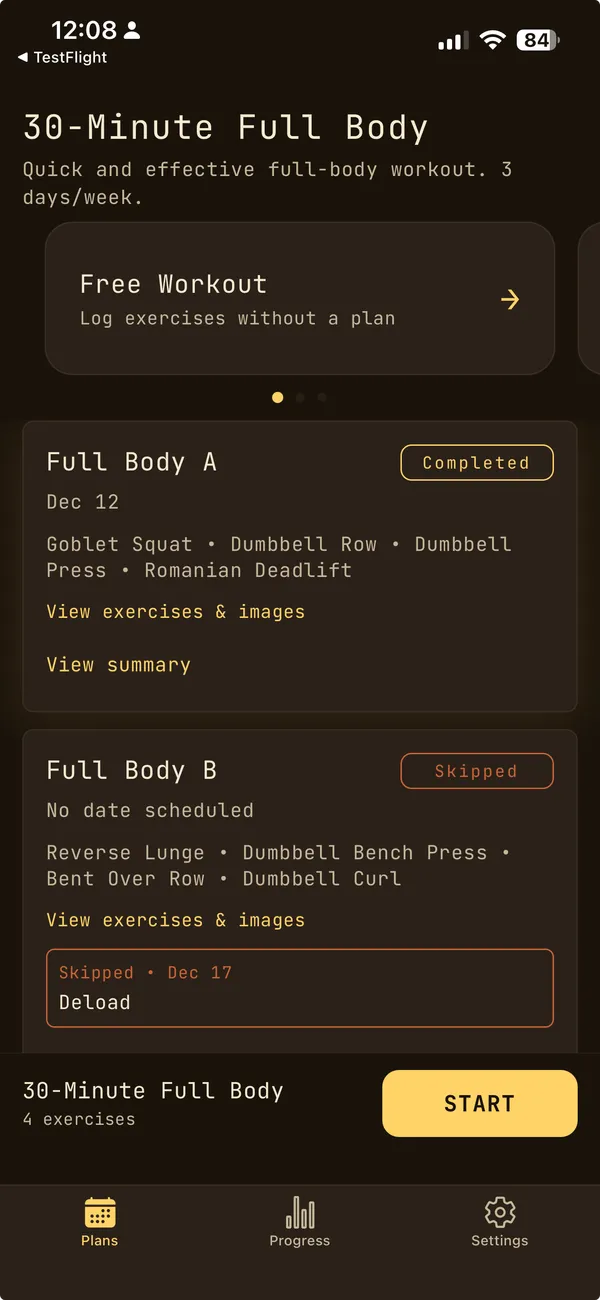
Import plans from QR codes, URLs, or YAML files. Includes pre-built starter plans for bodyweight, kettlebell, and barbell training. Or create your own custom multi-week programs.
Unplanned Sessions
Log workouts on the fly without a predefined plan. Perfect for spontaneous training or when you want flexibility.
Track Your PRs
Automatic personal record detection across all exercises. Celebrate new milestones as you get stronger.
Built-in Interval Timer
Tabata and custom interval timers with audio cues. Perfect for HIIT, circuits, or timed rest periods.
Plate Calculator
Never do mental math at the rack again. Configure your available plates once, then get instant barbell loading instructions for any target weight. Train smarter, not harder.
Track Progress
See your strength gains over time. Charts and stats help you stay motivated and identify plateaus.
Fast & Simple
No bloat, no subscriptions, no ads. Just a clean interface designed for quick workout logging.
Ready to take control of your fitness data?
Get Started FreeSee It In Action
Toggle Simple Mode, scan QR codes for instant plan import, use the plate calculator, and track your workouts — all offline.
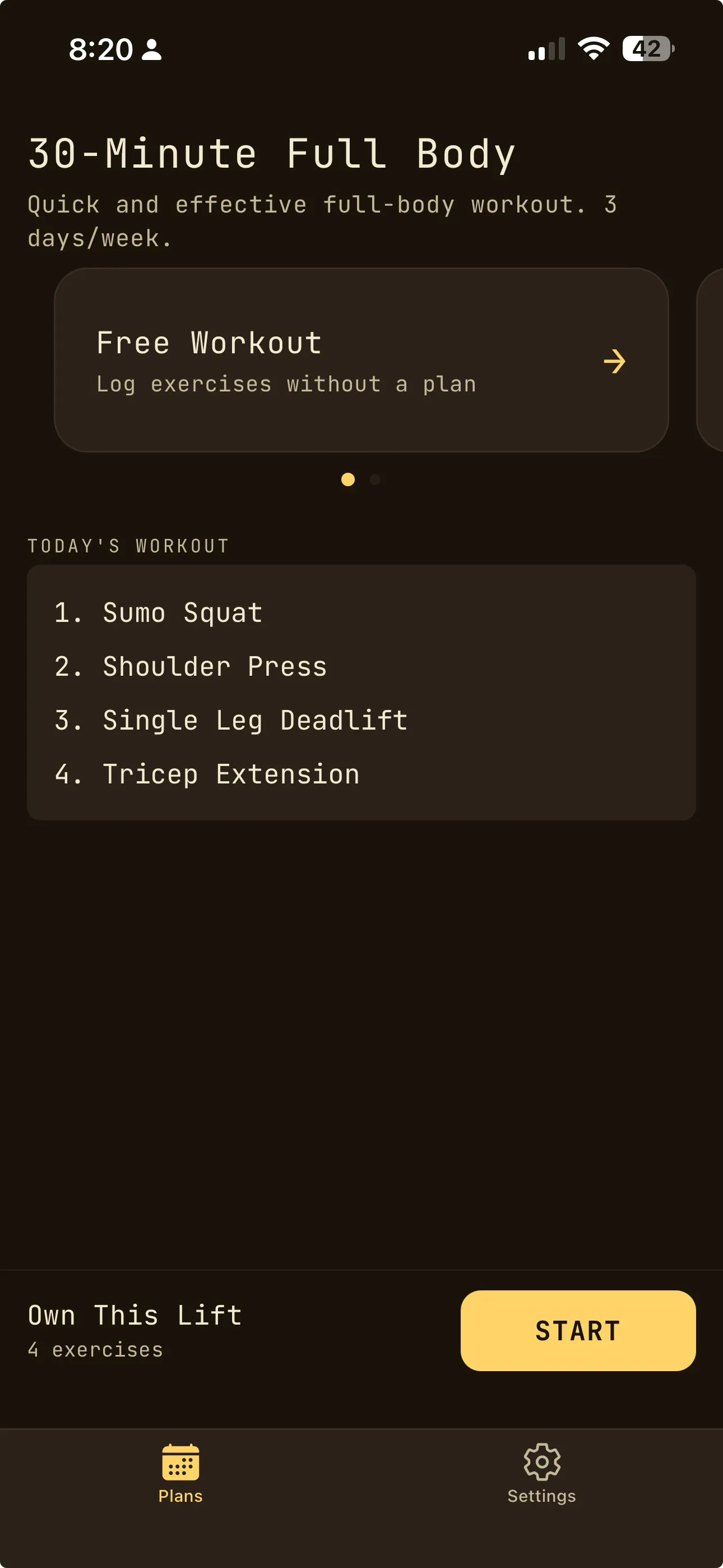
Simple Mode for Beginners
Streamlined interface for newcomers
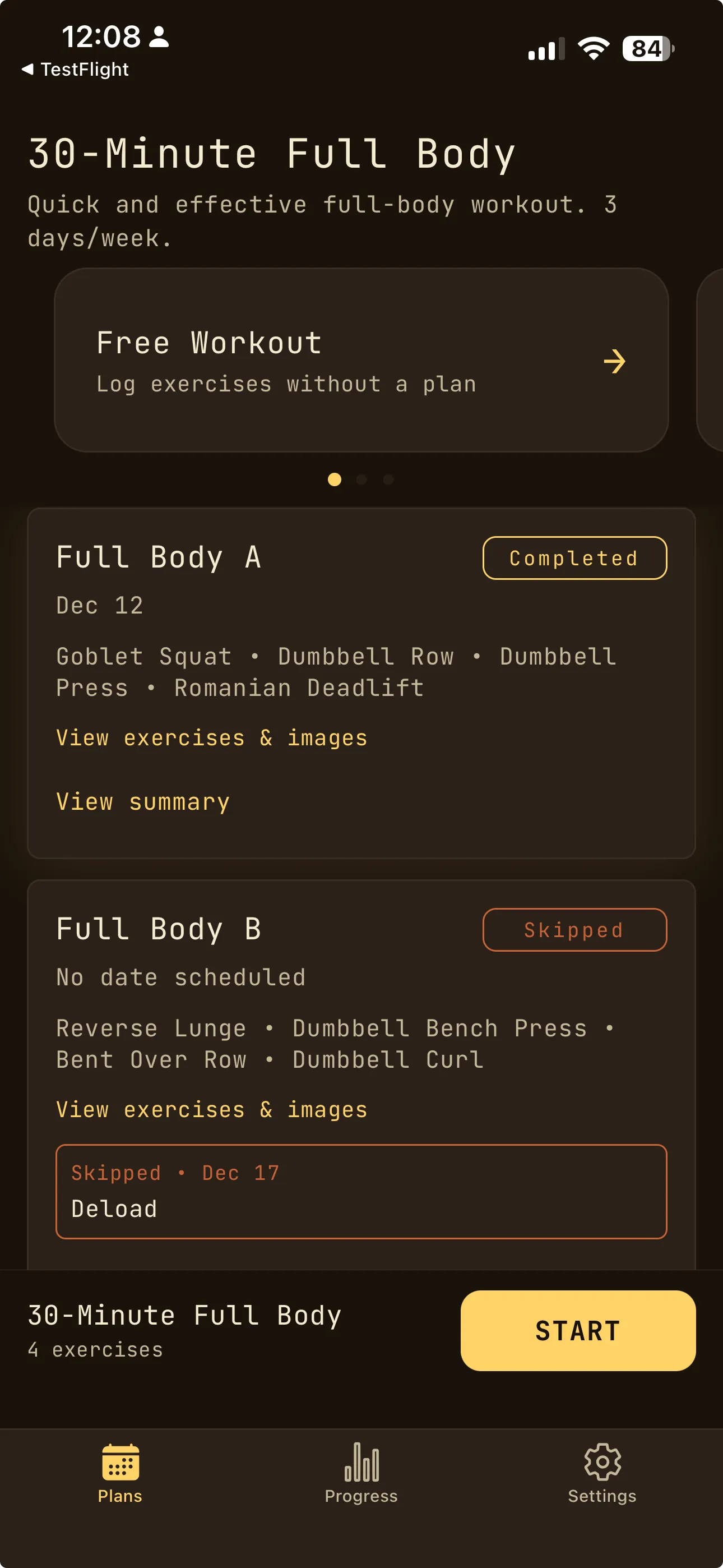
Home & Plan Overview
View active plans and daily workouts
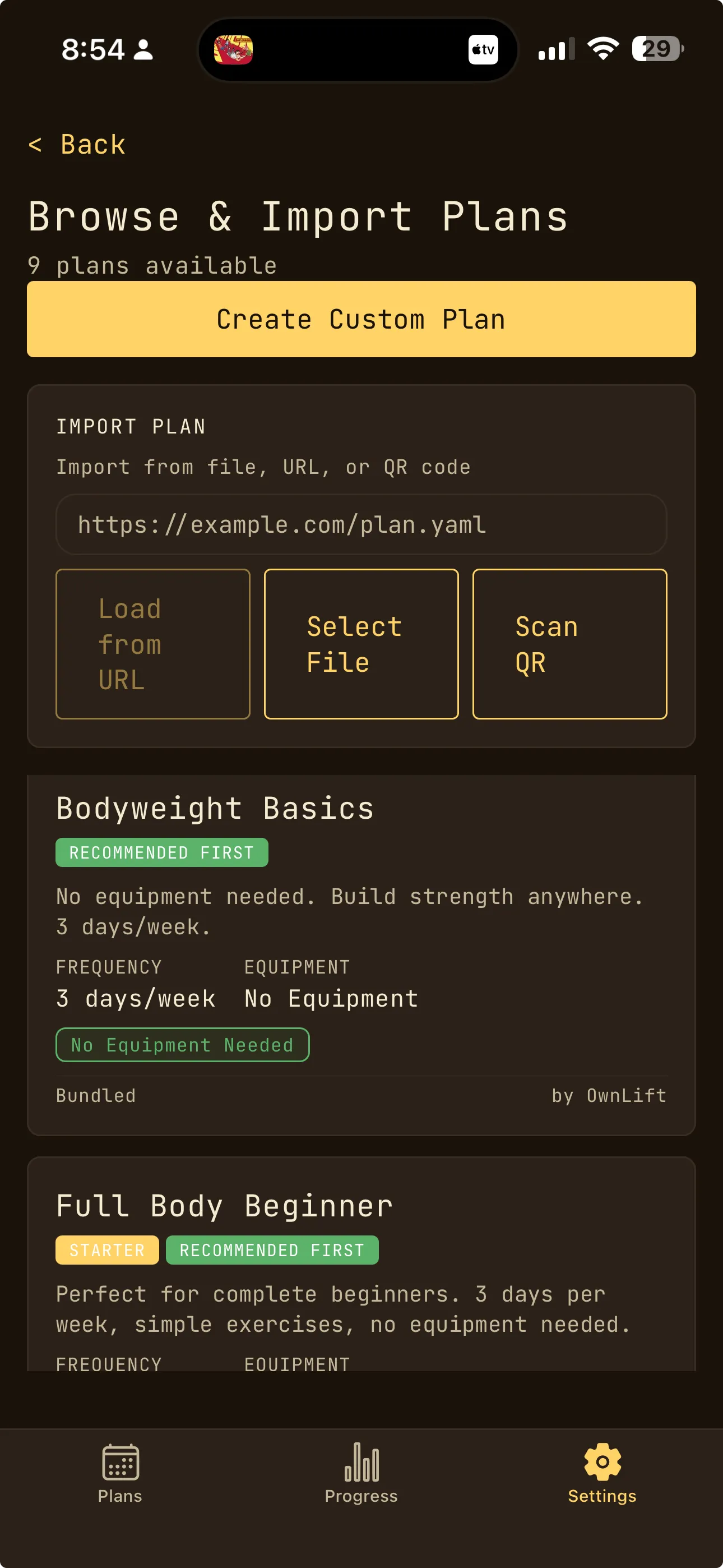
Pre-Built Starter Plans
Bodyweight, kettlebell, and barbell programs
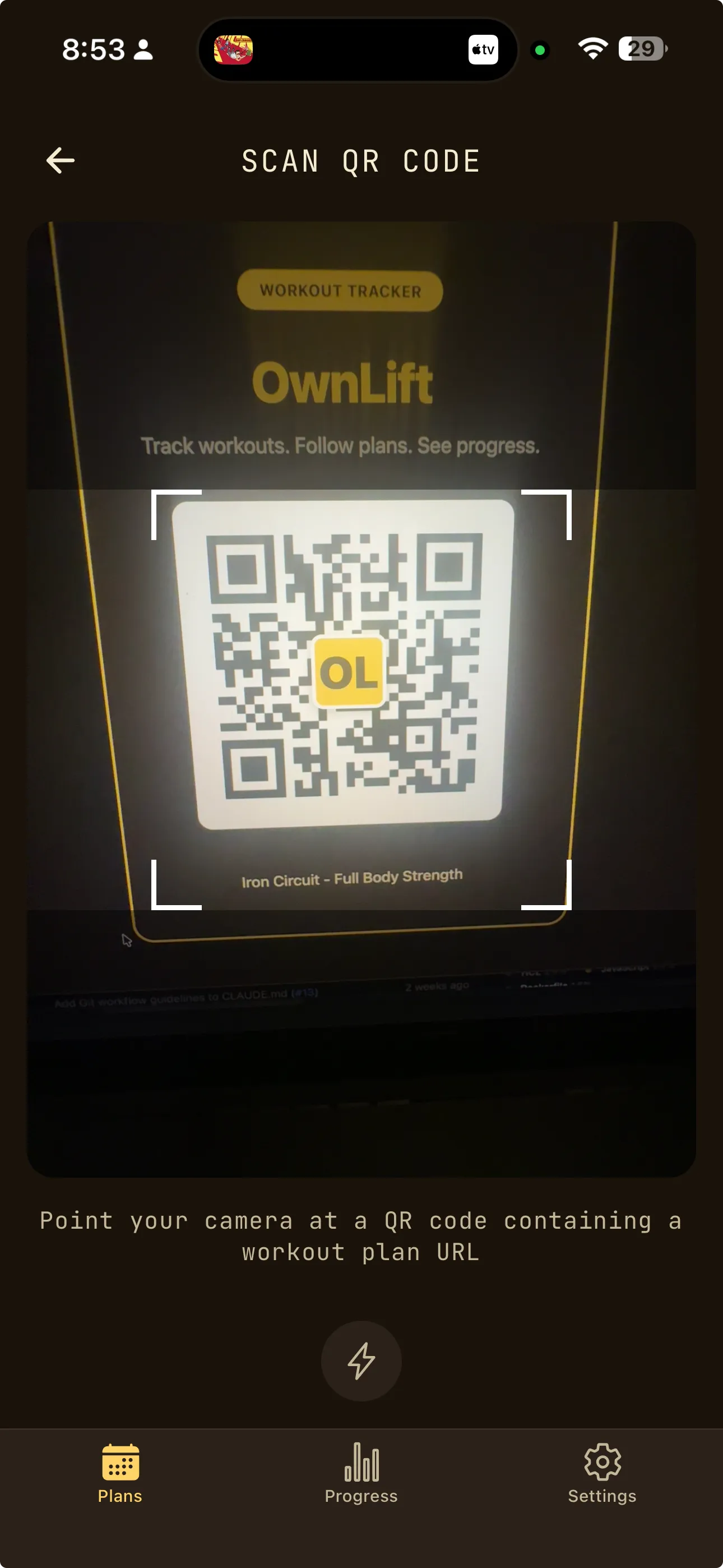
QR Code Plan Import
Instant plan import without internet
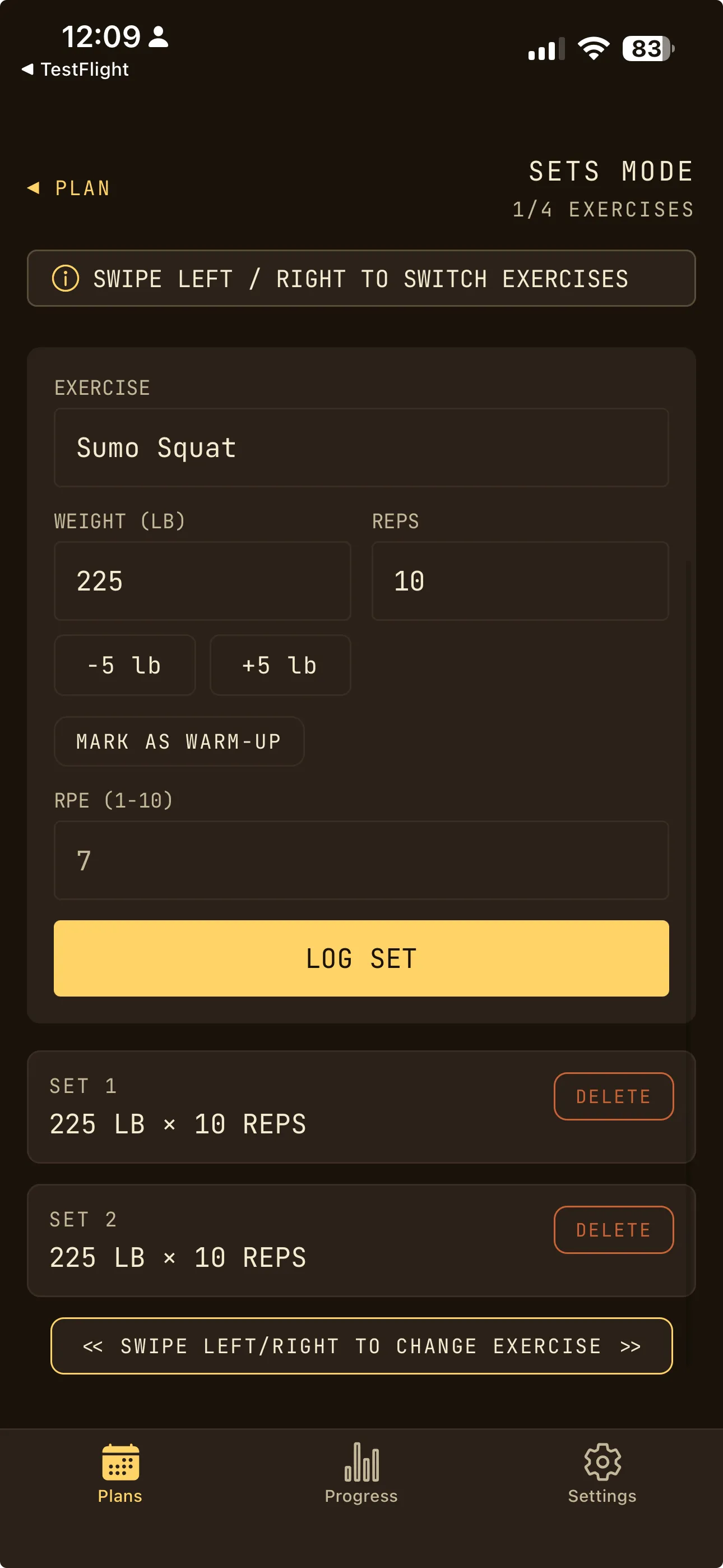
Log Sets & Reps
Track weight, reps, and RPE
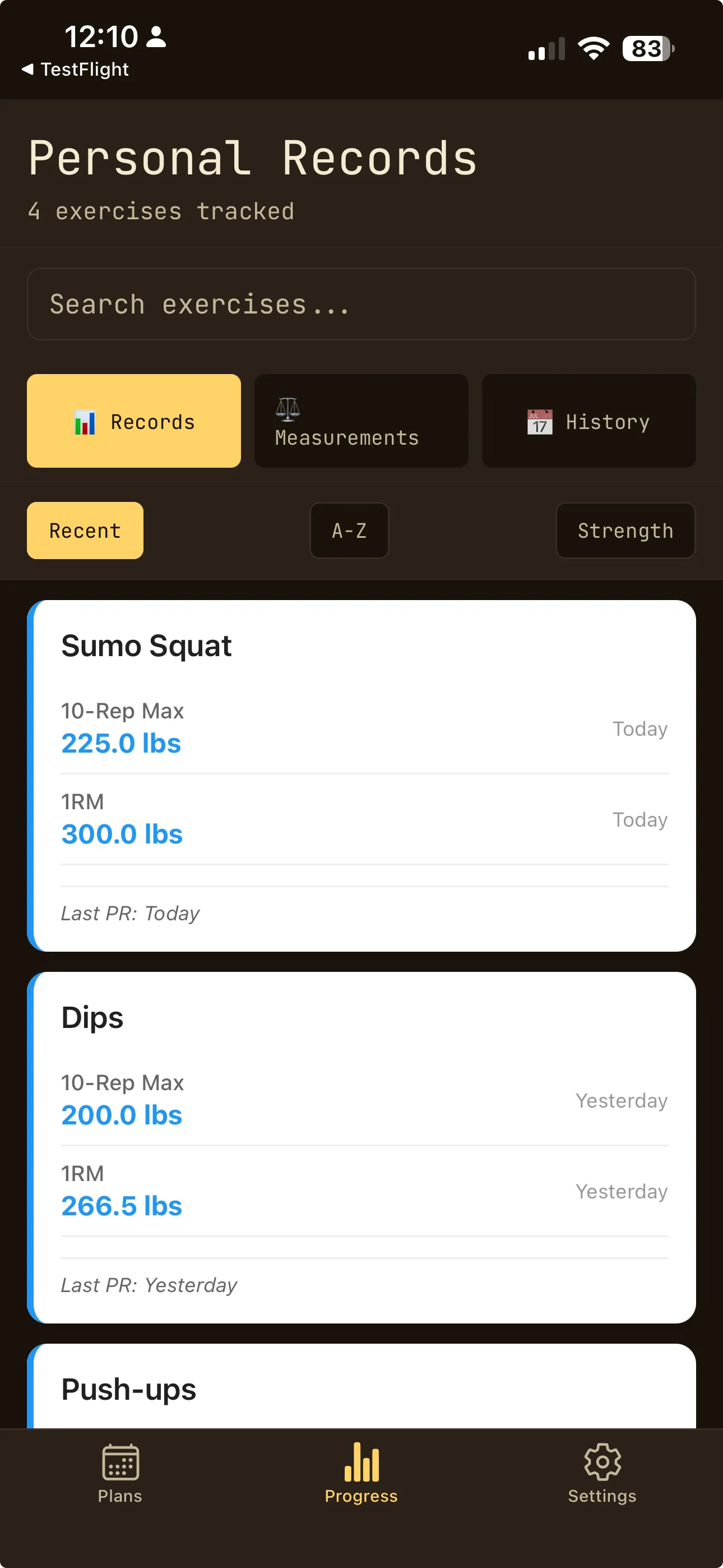
Track Personal Records
Automatic PR detection and history
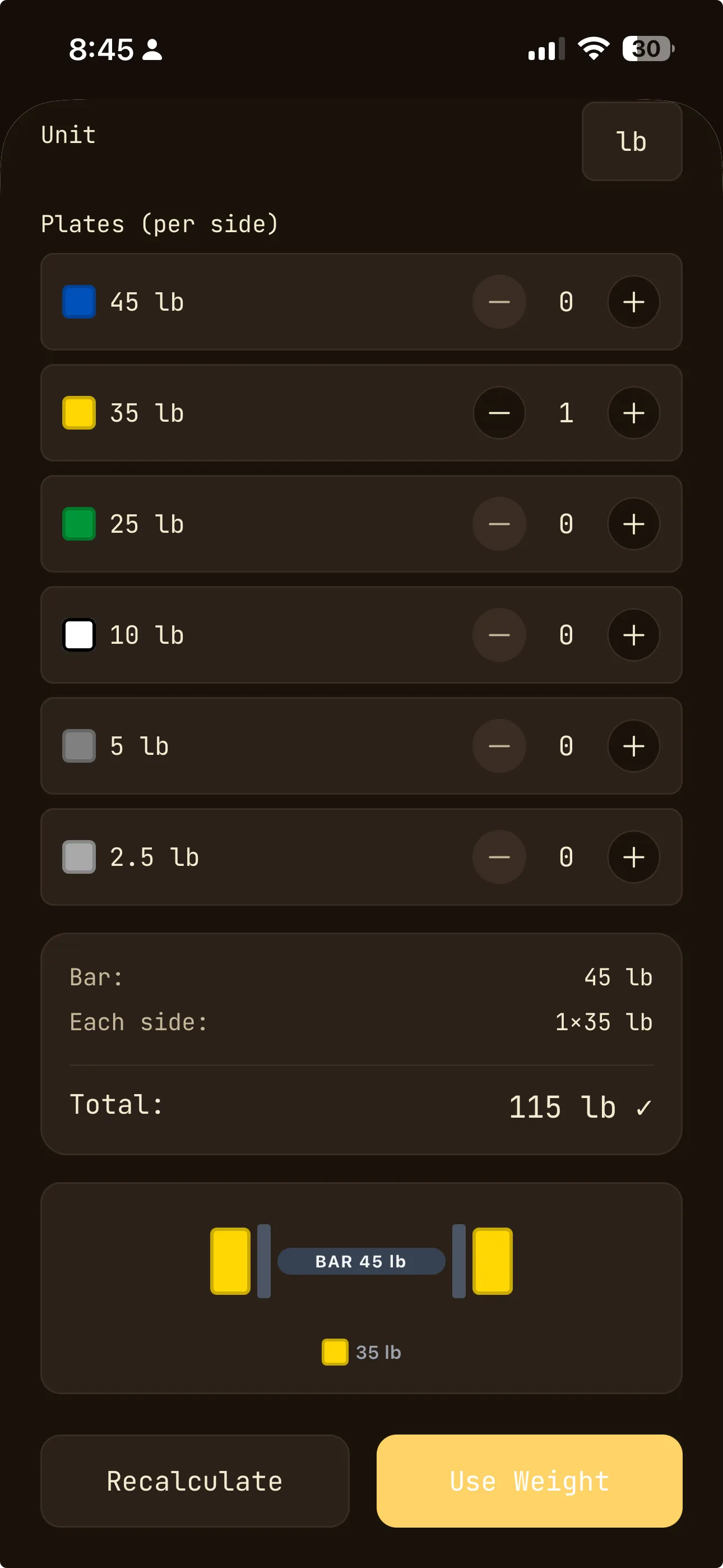
Plate Calculator
Instant barbell loading instructions
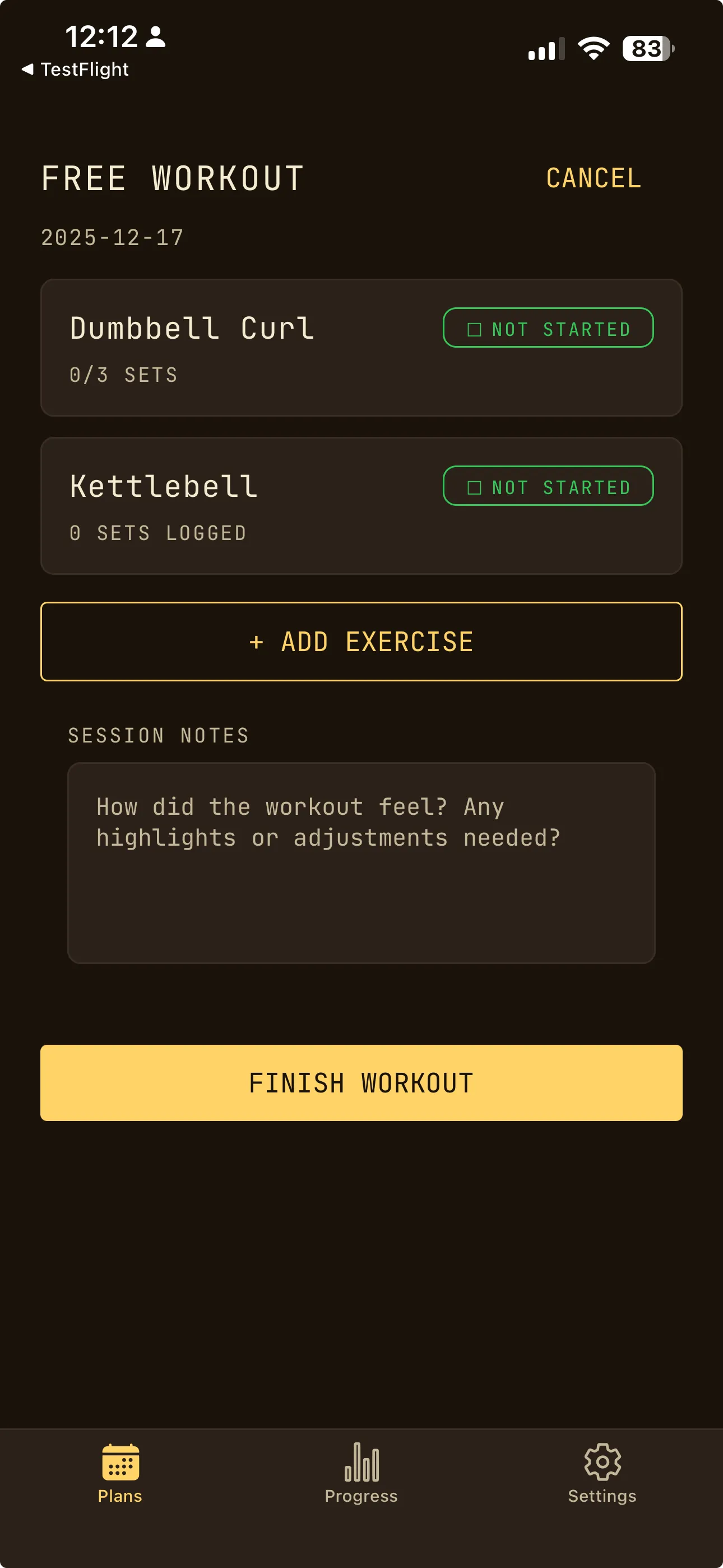
Free Workout Mode
Log unplanned sessions on the fly
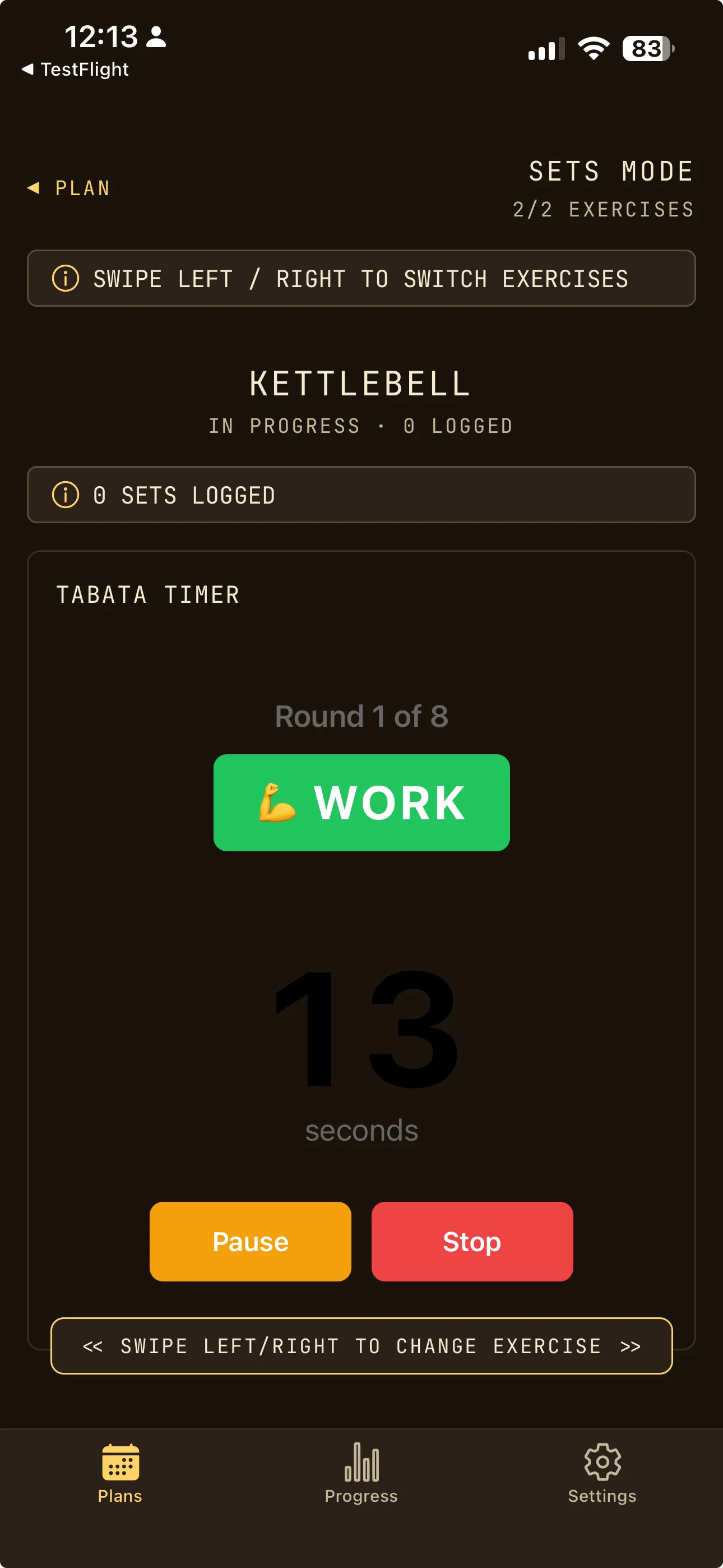
Built-in Tabata Timer
Interval training with audio cues
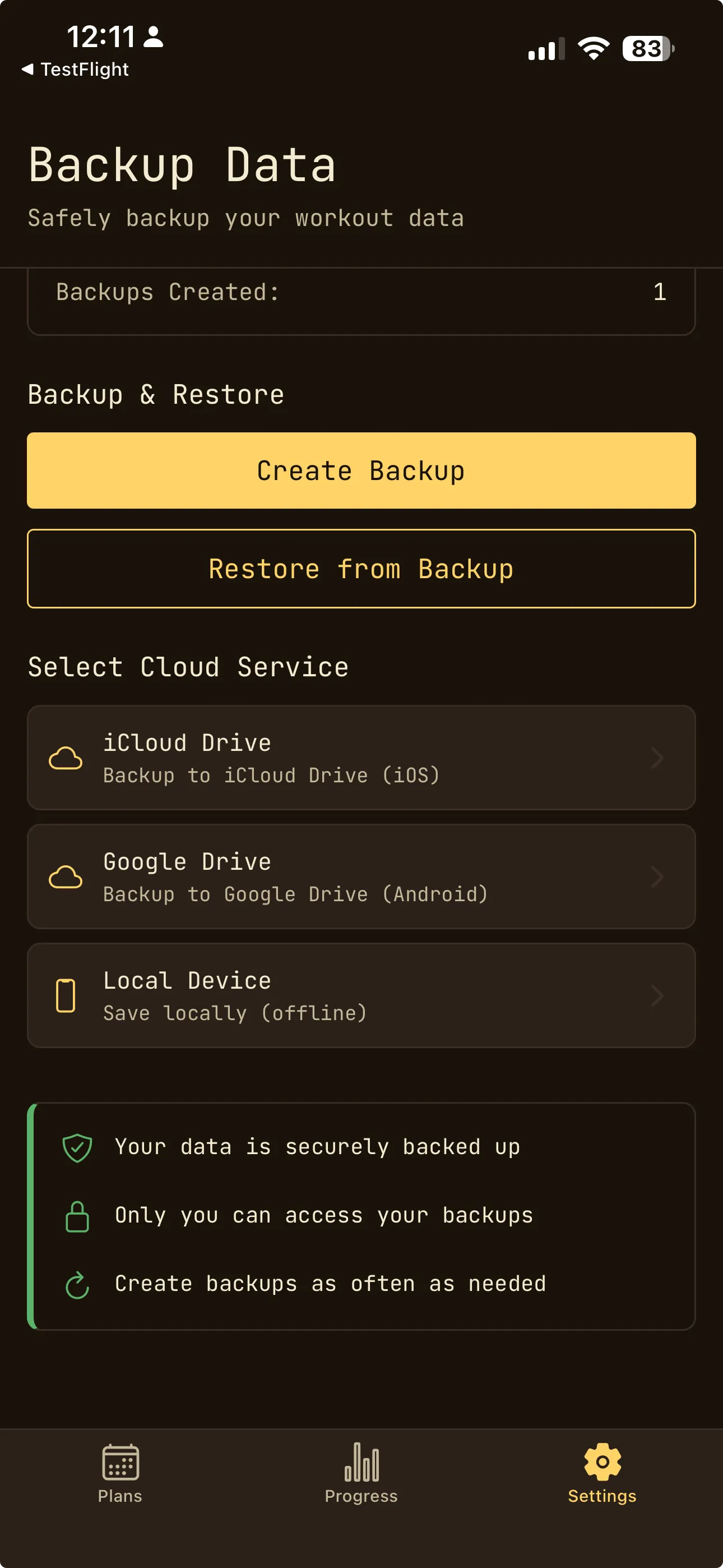
Encrypted Backups
Secure your data with iCloud
SWIPE TO EXPLORE
OwnLift offers Simple Mode for beginners, QR code plan import, pre-built starter plans, and a unique plate calculator. Import a workout plan from a URL, QR code, or YAML file, view your exercises for the session, log each set with weight and reps, and use the built-in rest timer between sets. All features work completely offline without internet connection.